Event Ticket Agencies: Managing Admission Quotas at the Door
How to manage event ticket agencies: admission quotas, scannable agency codes, door-level controls, and post-event reconciliation.
When Per-Guest Tickets Are the Wrong Tool
You are organizing a community festival. Three partner departments, two ticket resellers, and a local business association will each “bring a group” — but none of them can give you a named list of who is coming, and the final headcount changes until the morning of the event.
Forcing per-guest tickets onto this model creates pain for everyone: you chase partners for names that don’t exist, guests arrive holding tickets that were never delivered properly, and your door staff dig through spreadsheets trying to decide who belongs to whom.
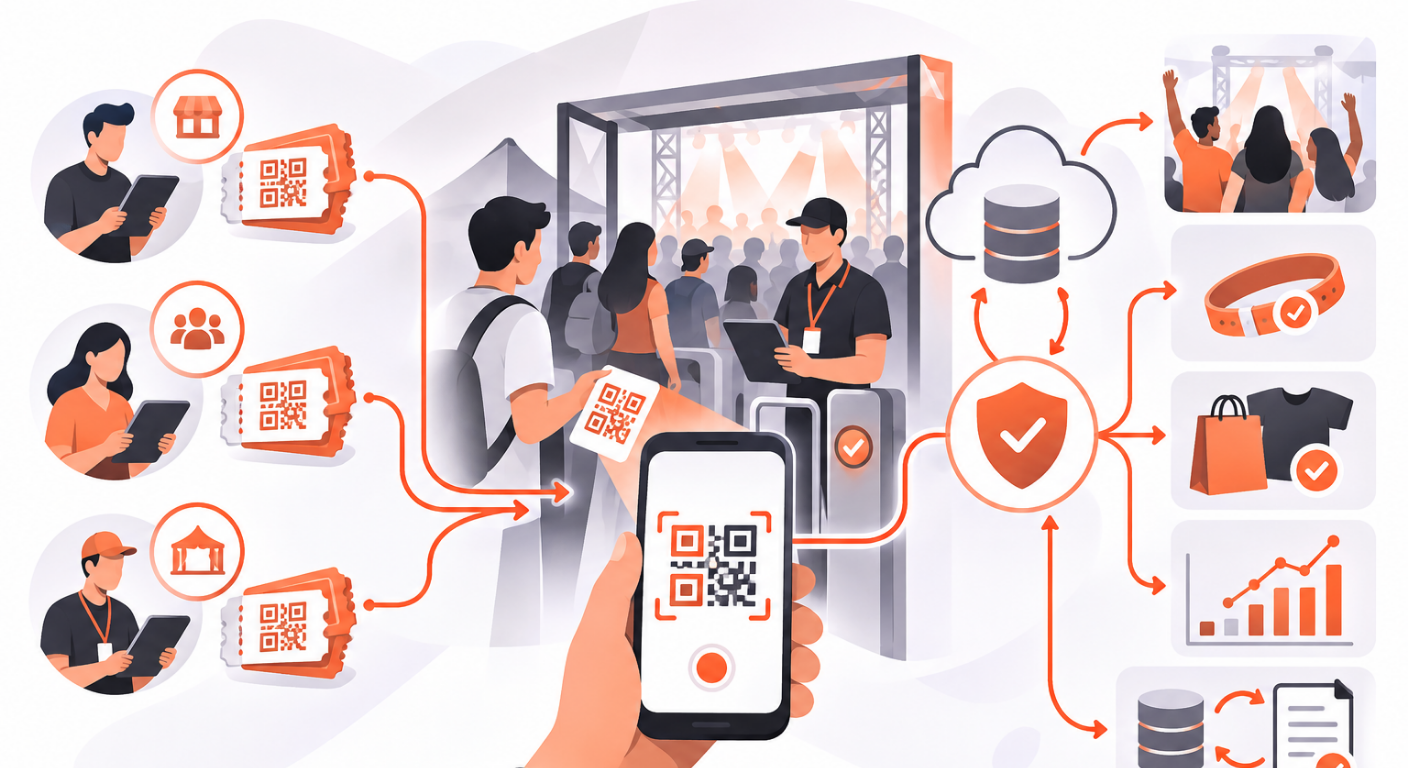
What you actually need is a count per agency with a cap. Each partner gets one scannable code, and the door simply tallies admissions against that partner’s allocation. That is how event ticket agencies work best — quota in, admissions out, nothing else.
How Quota-Based Agency Admission Works
An agency entry is deliberately simple. For each partner you record:
- Name — the agency, department, or reseller name
- Quota — how many admissions they may bring (zero means unlimited; the cap check is skipped)
- Note — free text shown to door staff on the admit screen, for example “Collect wristbands at desk B”
- Banner image — an optional 16:9 graphic (a logo or welcome message) displayed on the scanner when the agency’s code is scanned
The important mental model: agency admissions are a separate tally from guest check-ins. An agency scan carries no guest identity. There is no “already checked in”, no duplicate-scan warning, and no check-out. Each scan simply counts one admission against that agency’s running total.
This is exactly right for the đại lý model common at Vietnamese festivals and community events — the partner vouches for the group, and the door only needs to know “how many of this partner’s allocation have been used”.
One Code Per Agency
Every agency gets a unique AGY code rendered as a QR code. You can export it as a print-ready PNG and hand it to the partner — they show it at the door printed or on their phone, exactly like a guest shows a ticket. One partner code can serve a whole busload of people: staff scan it once per person as they file through.
At the door, a successful scan shows the agency’s name, note, and banner together with the running admitted / quota count, and the result stays on screen until staff tap “Scan next” — one scan equals one admission. When an agency reaches its quota, the screen says so clearly and the admission is refused. Inactive agencies and codes belonging to another event are refused with a clear reason, so a stale code from last year’s festival cannot sneak in.
Keep the Door Under Your Control
Two controls matter on event day:
The admission switch. Agencies can be staged days in advance, but the door cannot admit against them until you flip the agency check-in switch on. The gate is enforced server-side — with the switch off, every admit attempt is refused even with a valid code. If a partner’s allocation is used up or a partnership falls through mid-event, switch it off and the door stops immediately.
The live count. Because the tally is a live count on the server, agency admission needs a connection — unlike guest check-ins, an agency scan cannot queue while offline. If your venue has unreliable Wi-Fi, plan an agency door with cellular coverage, or use guest tickets for that partner instead.
Reconcile After the Event
The reconciliation table is your settlement report: for each agency, the quota, the admitted count, the signed difference from quota (negative means a shortfall), and the most recent admit time. Inactive agencies stay listed but dimmed.
Behind the counts, every admission lands in an append-only ledger and each admit is written to the event’s audit log. If a partner disputes the number — “I brought at least 40 people, why does it say 32?” — you can trace the dispute back to individual scans with timestamps, not memories. That turns a heated negotiation into a five-minute printout.
Common Mistakes to Avoid
- Setting every quota to unlimited. The quota is your capacity guarantee. Decide the number with each partner before the event; ∞ should be a deliberate choice, not a default.
- Sharing one code between two partners. If two departments split an allocation, create two agencies — otherwise you cannot tell whose admissions ran over.
- Forgetting the admission switch. Staging agencies in advance is fine, but the door refuses everything until the switch is on. Turn it on during your door setup drill, not when the first guest is standing there.
- Skipping the note and banner. The note is your channel to door staff (“collect wristband at desk B”, “VIP partner — escort to section A”). Writing it once in the CMS beats shouting it over a walkie-talkie all night.
Conclusion
Agencies, partner departments, and resellers don’t fit the per-guest ticket model — and they shouldn’t have to. Give each one a quota and a scannable code, keep the door on a switch you control, and settle after the event on audited numbers. QRS supports quota-based agency check-in with per-agency QR codes, door-level controls, and a reconciliation report built for events that distribute tickets through partners.
Found this helpful?
Explore more articles on this topic