Guest Management Software: What It Includes and How to Choose
A guide to choosing guest management software: core modules, buying criteria, the hidden costs of Excel, and moving your guest list to a new platform.
When Excel Is No Longer Enough for 500 Guests
Five hundred is not a magic threshold. But many organizers recognize the moment: the master spreadsheet has three competing copies, attendance confirmations arrive through both email and messages, and door staff are crossing names off printed lists. That is when “guest management software” enters the conversation. What does it include, and how do you choose a platform?
What Is Guest Management Software, and What Does It Include?
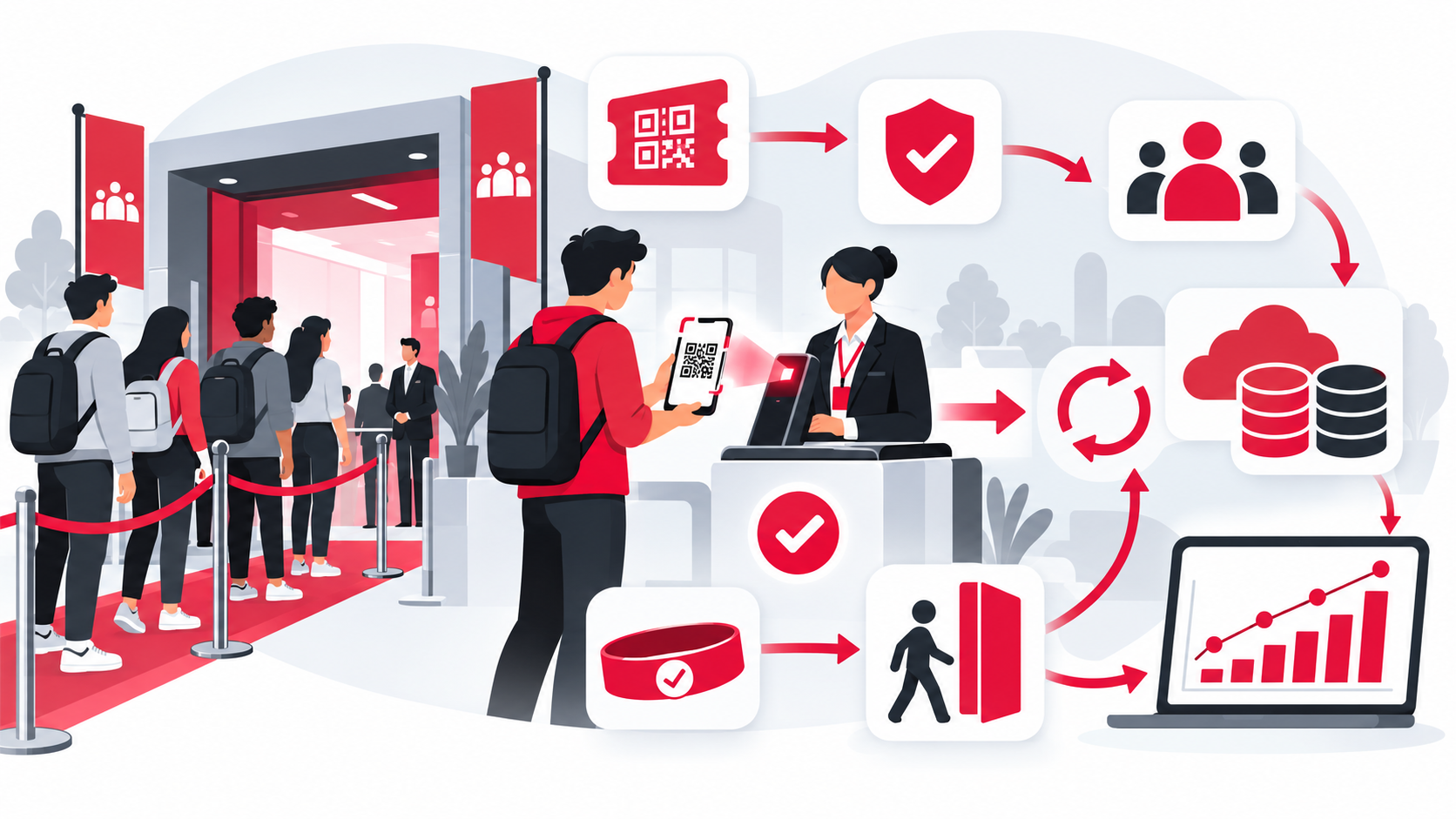
Guest management software stores and manages guest information throughout an event: lists, invitations, attendance confirmations, companion limits, and data you can use afterward. Instead of updating separate spreadsheets, the team works from a shared source of guest data.
Its scope differs from check-in software, which focuses on operations at the door, such as scanning speed, offline scanning, and duplicate-ticket checks. Guest management follows the guest data throughout the event cycle. Many providers combine both, so ask which functions each plan actually includes.
A complete solution typically includes these modules:
- Guest database: Excel or CSV import, column mapping, and duplicate detection.
- Guest groups and access rights: VIPs, speakers, media, and sponsors. See how to classify VIP, guest, and sponsor tickets.
- Invitations and tickets: a separate email and unique QR ticket for each guest.
- Attendance confirmation (RSVP): recording confirmations and cancellations as guests respond.
- Companions: individual tickets or admission alongside the main guest, within configured limits.
- Check-in and badge printing: see on-site badge printing.
- Post-event reports: who attended, their guest groups, and arrival times.
Scanning speed, offline operation, and self-service kiosks are covered separately in our event check-in software selection guide.
Which Manual Tasks Does Each Module Replace?
Compare each module with the manual work it replaces:
| Module | Manual process | With software |
|---|---|---|
| Guest database | Separate spreadsheet copies | One shared source |
| Invitations | Emailing groups in batches | Bulk delivery with a personal code for each guest |
| RSVP | Counting replies manually | Updated as guests respond |
| Guest groups | Color-coded spreadsheet rows | Ticket tiers linked to access rights |
| Companions | A note in a spreadsheet cell | Defined tickets or companion limits |
| Reports | Manual reconciliation | Reports from recorded attendance data |
A spreadsheet note saying “bringing two people” becomes an explicit admission arrangement. Our guide to checking in families and plus-ones explains the options. Tracking guest responses also supports measuring attendance rates. Together, these modules help automate the corporate event guest management process that a team might otherwise run by hand.
Which Modules Matter Most for Your Event?
Few events need all seven modules equally:
- Large meetings and shareholder meetings: guest groups and list approval.
- Year-end parties and company celebrations: invitations and companion arrangements, especially when guests bring their families.
- Industry seminars: registration and RSVP, to help plan seating and catering.
- Opening ceremonies and invitation-only events: check-in and badges, where names must be correct and arrivals must move smoothly.
Ask providers whether modules can be enabled or disabled for different event types.
Seven Criteria for Choosing Guest Management Software
These criteria focus on guest management, rather than repeating the check-in requirements covered in our separate guide.
- Usable by nontechnical staff. The person importing the list may be an assistant or event coordinator. Ask them to try the core tasks themselves and see whether a short introduction is enough.
- Practical Vietnamese-language support. For events in Vietnam, check the interface, names and addresses with Vietnamese diacritics, and access to Vietnamese-speaking support during your working hours.
- Flexible import and export. Test column mapping for headers such as “Họ tên” and “Số điện thoại,” clear row-level validation messages, duplicate detection, and the ability to export your data.
- Invitations sent from the same guest list. Email is a baseline requirement. If you use SMS or Zalo reminders, ask whether those channels use the same list or require another export and import between tools.
- A clear lifecycle for personal data. Guest lists often contain names, email addresses, phone numbers, and job titles. For events in Vietnam, review the provider’s approach against Personal Data Protection Law No. 91/2025/QH15, effective January 1, 2026. Ask where data is stored, who can view and export it, how long it is retained, and whether it can be deleted on request. Get the answers in writing before signing.
- Support for real event-day changes. Test last-minute edits to guest information or ticket tiers, adding companions at the door, and limits that vary by guest. These situations reveal the platform’s capabilities and constraints.
- Data you can reuse across events. Ask how you can invite previous attendees again and compare attendance across events, instead of starting from disconnected spreadsheets each time.
What Does Staying with Excel Cost, and What Does Software Offer?
Excel’s hidden costs are usually outside the spreadsheet: time spent reconciling copies, entering guest changes by hand, and assigning extra staff to a slow manual check-in desk. Our article on why Excel check-in no longer works for events examines those costs in more detail.
Software may be priced per event, by guest count, or through a recurring plan. Ask what the quoted price includes, especially email delivery, scanning devices, and event-day support. The potential value extends beyond staff hours: a shared source of information, fewer avoidable errors at the door, and attendance data you can export and retain afterward.
How Long Does It Take to Move Your Guest List?
With a clean file and a tool that supports automatic column mapping, the import itself can take minutes. Prepare one sheet with one guest per row, upload it, review the results, and then send tickets. Importing creates a copy of the data, so the original file remains available.
Companion information may need additional preparation. Our Excel and CSV guest import guide walks through the process.
A Checklist Before You Decide
Before choosing a platform:
- Import your actual Excel file, rather than relying on the provider’s sample.
- Include invalid and duplicate rows to see whether the validation report is easy to understand.
- Send yourself an invitation and check the QR ticket you receive.
- Set up the guest groups required for your next event.
- Ask in writing where data is stored, how long it is retained, and who can export it.
- Run a small pilot event with one door and one scanner.
- Measure your own results: time to welcome a guest, attendance rate, and hours spent compiling reports.
Conclusion
Guest management software connects the work before, during, and after an event around shared guest data. For a 20-person meeting, Excel may be enough. When coordinating changes and managing arrivals becomes difficult, look for a platform that lets the team enter guest information once and use it throughout the event.
QRS brings Excel guest import, individual QR ticket delivery, check-in, and attendance reports into one platform, so you can evaluate the workflow using your own guest list.
Found this helpful?
Explore more articles on this topic